5 Quick Tips for a More Secure Sitecore Environment
Securing your Sitecore environment is a critical, albeit not as “fun” task, that every organization should undertake. While not comprehensive of everything you can do to lock down a Sitecore environment, these “5 Quick Tips” can dramatically improve your security posture while improving the stability and speed of your Sitecore environment.
Use a Web Application Firewall (WAF)
Simply put, no production website should ever be without a WAF. It’s irresponsible in today’s internet to try and operate without one. A Web Application Firewall protects you from all sorts of attacks such as:
- Cross-site request forgery (CSRF)
- Cross-site scripting (XSS)
- SQL injection
- File inclusion
- Denial of service (DoS)
Additionally, many WAF based solutions like CloudFlare offer a ton of features beyond security to centrally manage DNS, increase speed via caching, and CDN global capabilities to name a few. Azure WAF on top of Azure Front Door is another option, but not as robust as CloudFlare.
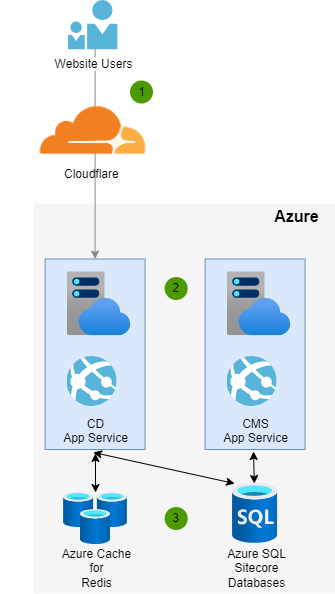
Here is a sample diagram flow of CloudFlare in front of an Azure PaaS environment where 1) Users flow through CloudFlare for 2) requests served by the Sitecore Content Delivery role and 3) the Sitecore Content Management role and supporting services like Redis and Azure SQL are never exposed.
Never Let Your Content Management (CMS) Role Be Public Facing
Exposing your Sitecore Content Management role publicly is never a good idea. If you are rationalizing anything such as making it public for third party vendors or some other reason… just don’t do it. Require all users to flow through a VPN and don’t allow unwanted attention to your CMS.
Beyond DoS attacks that could cripple your ability to manage content and publish, there are a ton of endpoints in /sitecore that are only meant to be used in the CMS and these should be disabled in the CDS role (see more in the security hardening section of this article).
Additionally, if someone is able to log into your CMS, its game over for your enterprise. Just imagine the damage done to your brand, and potential legal issues, from someone modifying or hijacking content for their own purposes.
Use a Code Analysis Tool like SonarQube
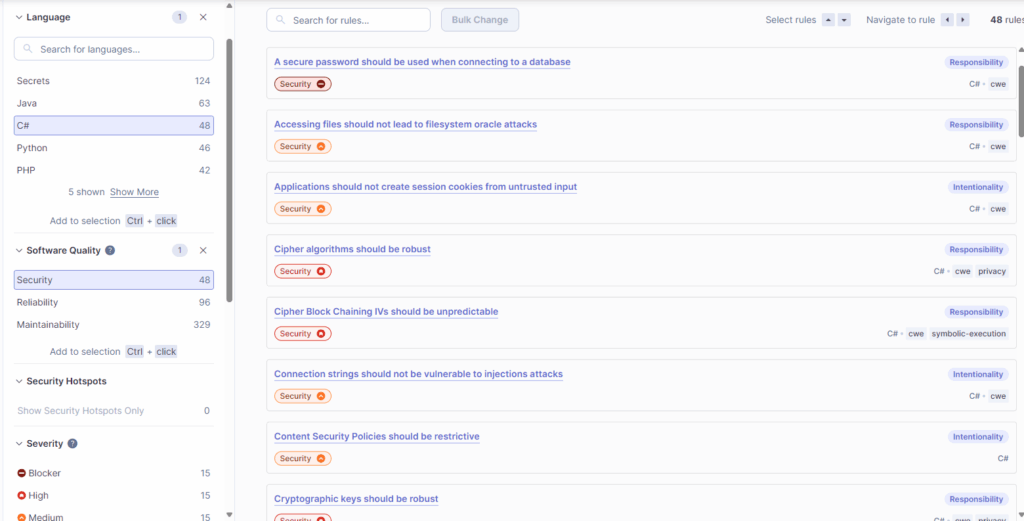
Automated code analysis is the unsung hero of successful Websites. Being able to get code smells and security checks against a library of checkpoints per your language (ex. C#) is simply a game changer. A tool like SonarQube can connect into your pipeline and run analysis at build time to flag issues and require resolution of its comments before a Pull Request can be approved.
Example SonarQube Security Ruleset for C#
Stay Up to Date on Sitecore Security Bulletins and Hotfixes
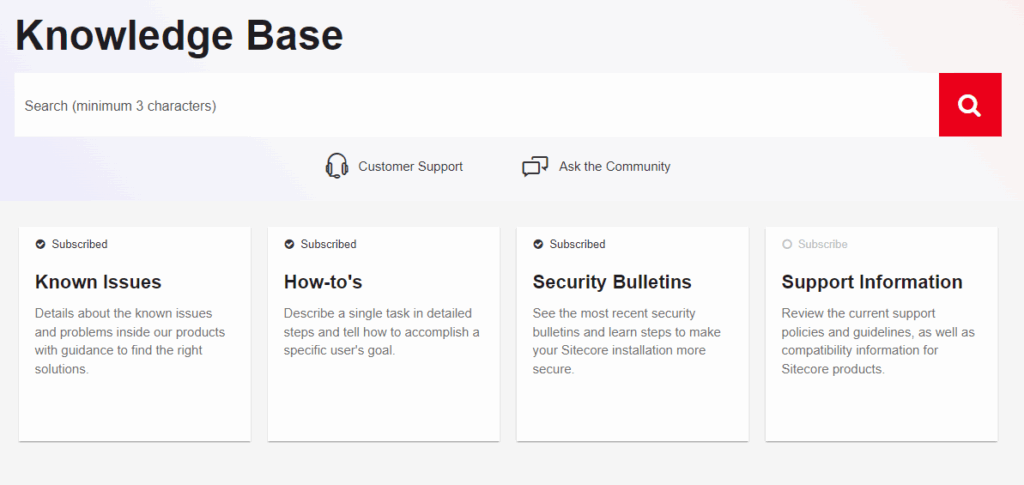
Sitecore regularly provides Security Bulletins with links of how to fix issues. All security bulletins are also maintained and available via the Sitecore Knowledge Base: Sitecore Knowledge Search – Knowledge Portal
For convenience, you can also subscribe to Security Bulletins and get emails when they are released (as well as subscribe to get communications when a Known Issue, How To, or Support Information has an update). This requires logging into the Sitecore Support Portal per: Support Information – How to subscribe to security updates on the Sitecore Knowledge Base
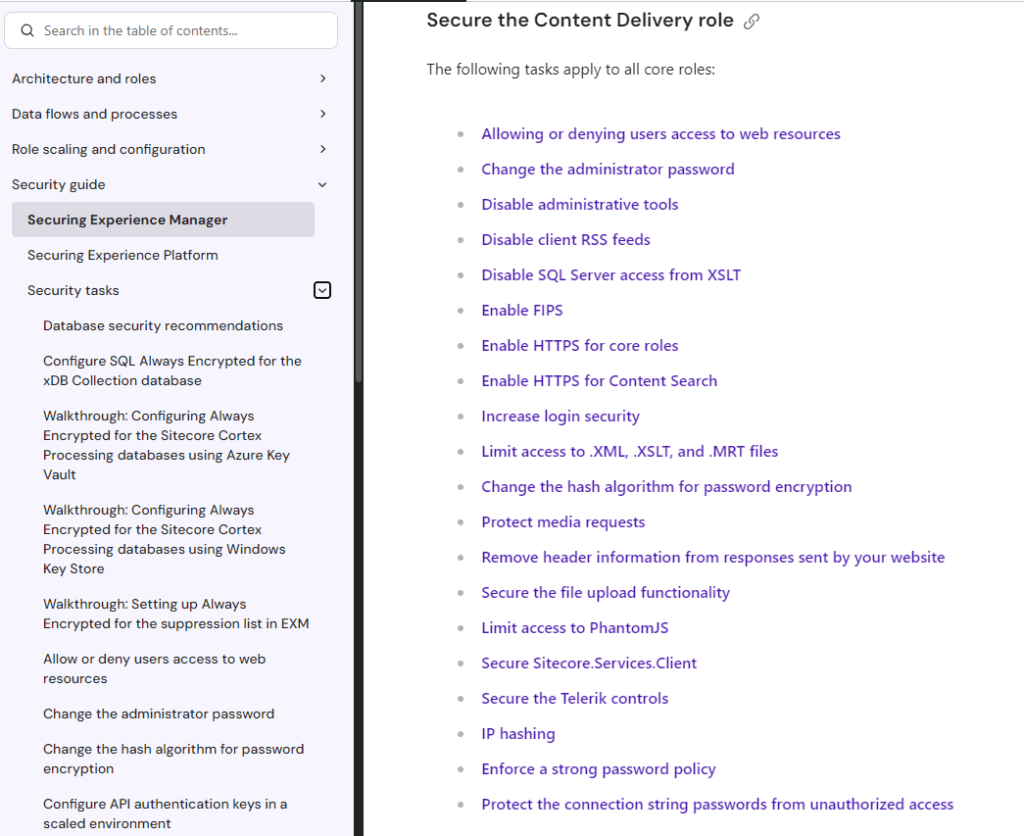
Apply the Sitecore Security Hardening Guide
One of the most overlooked tasks when deploying a Sitecore environment is applying the recommended items in the Sitecore Security Guide. This powerful reference provides security implementation details per Sitecore role and even security tasks that impact supporting architecture like SQL connections. Don’t go live without evaluating the appropriate security tasks by your environment type (i.e. XM or XP) and role (i.e. CMS, CDS, etc.): Security guide | Sitecore Documentation